Bucket Administration: Outstanding Invitations
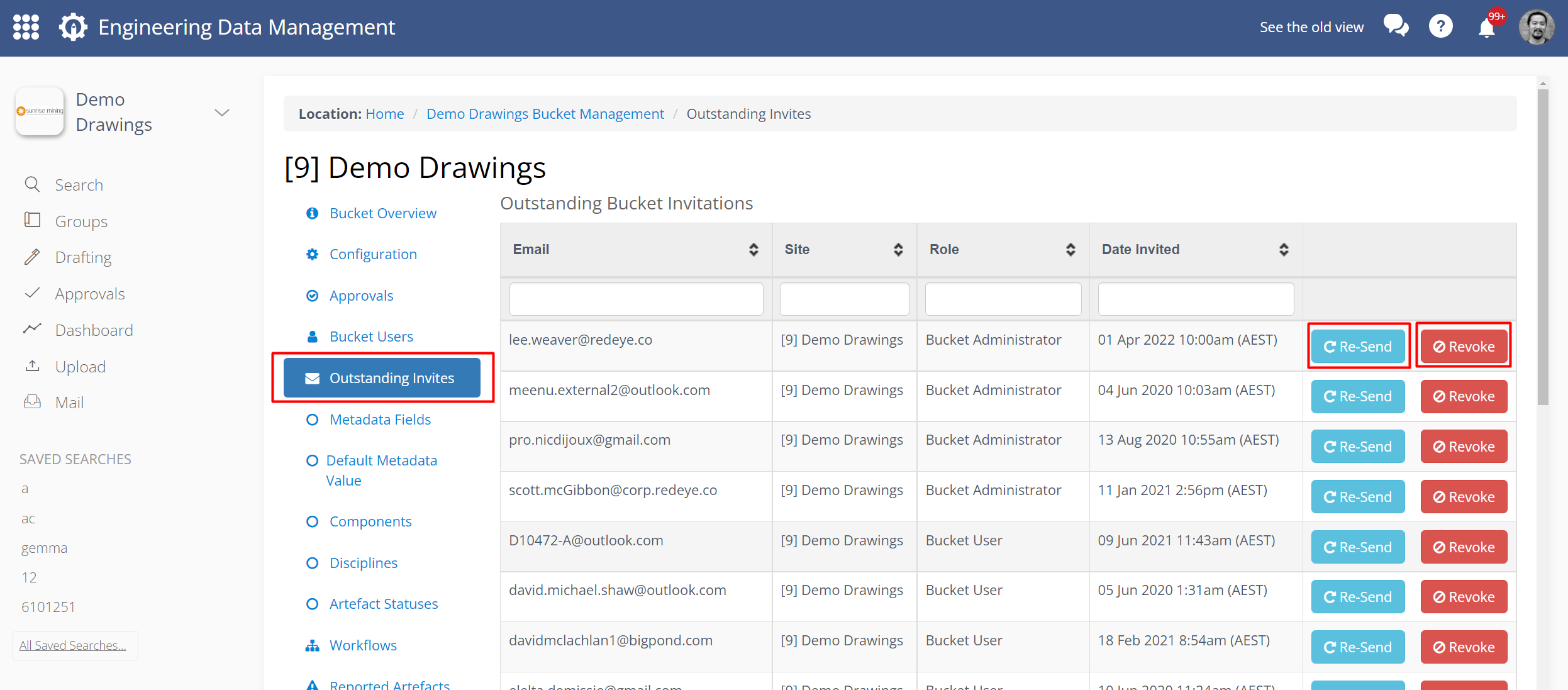
You can quickly view who has been invited to the bucket, and has not yet accepted their invitations. This is done through the Bucket Management tools.
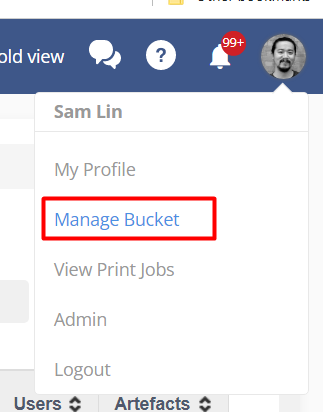
You can access Manage Bucket page via the profile icon on the top right of the interface
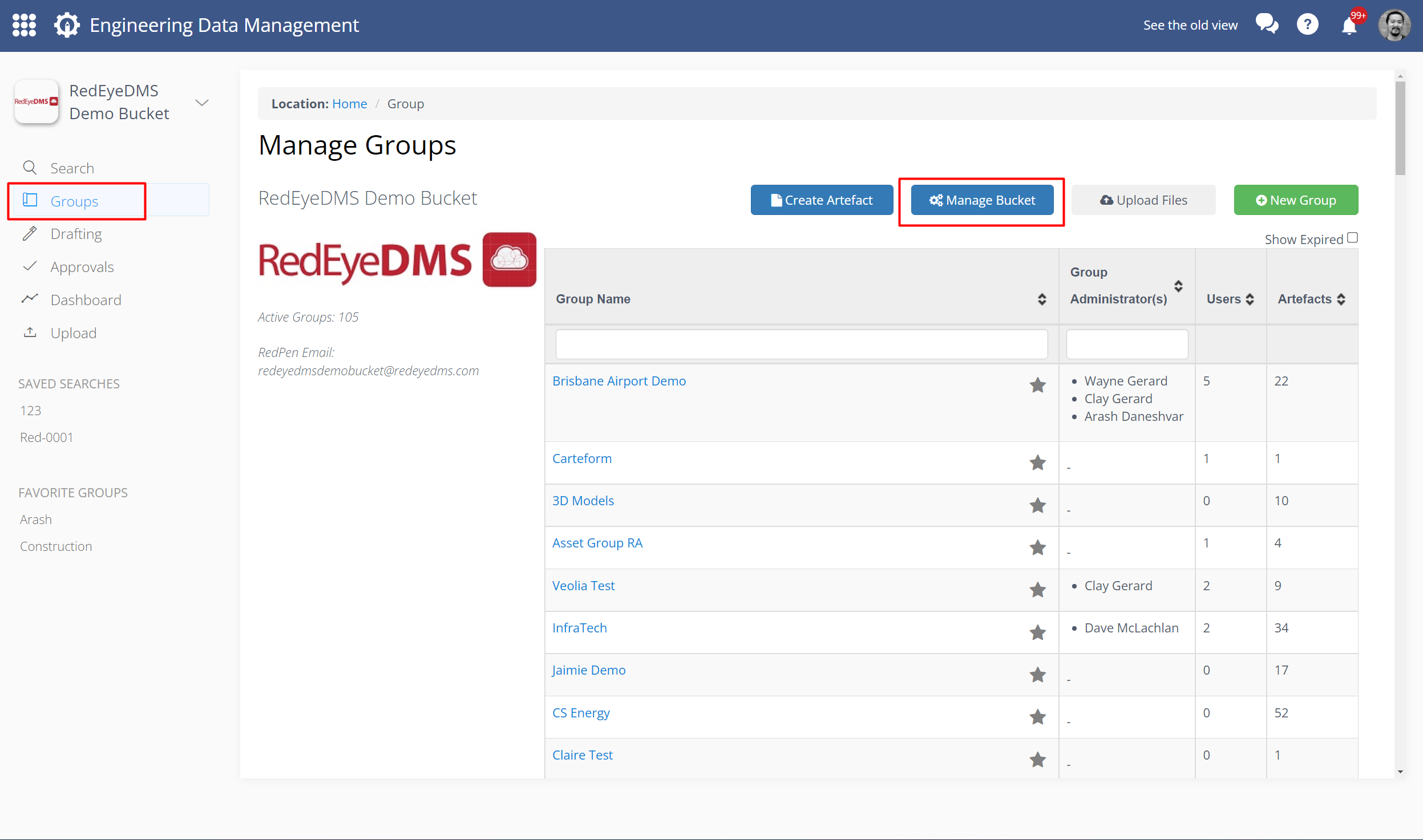
Alternatively, click Groups from the navigation bar, and then select Manage Bucket.
Next, select Outstanding Invitations. From here, you can see who has not yet accepted their bucket level invitations. You may now choose to Re-send, or Revoke the invitations for these users.